AI Conference Lead Capture Workflow: Automate, Score, and Convert
Build an AI conference lead capture workflow that enriches, scores, and routes event leads automatically. Cut follow-up delays and move contacts into pipeline
An AI conference lead capture workflow connects badge scanning, enrichment, scoring, and automated follow-up into a single pipeline. Instead of returning from an event with a card pile and good intentions, your team routes qualified leads to the right rep, often within minutes of the conversation ending.
What Is an AI Conference Lead Capture Workflow?
Most sales teams return from a conference with a stack of business cards, a spreadsheet, and zero follow-up completed by Friday. That is not a workflow; it is a memory exercise. An AI conference lead capture workflow replaces that friction with a structured, automated pipeline that moves contacts from first scan to sales conversation without manual hand-holding at every stage.
How does a lead capture workflow differ from basic contact collection?
Basic contact collection is passive. A rep hands over a card, a badge gets scanned, and a record is stored somewhere. A workflow is active: every contact entry triggers a time-bound chain of actions governed by rules. The difference is whether lead data sits in storage or moves through a system. Workflows include enrichment steps, scoring logic, routing assignments, and follow-up triggers, not just a place to park a name and email.
The core stages: capture, enrich, score, route, and follow up
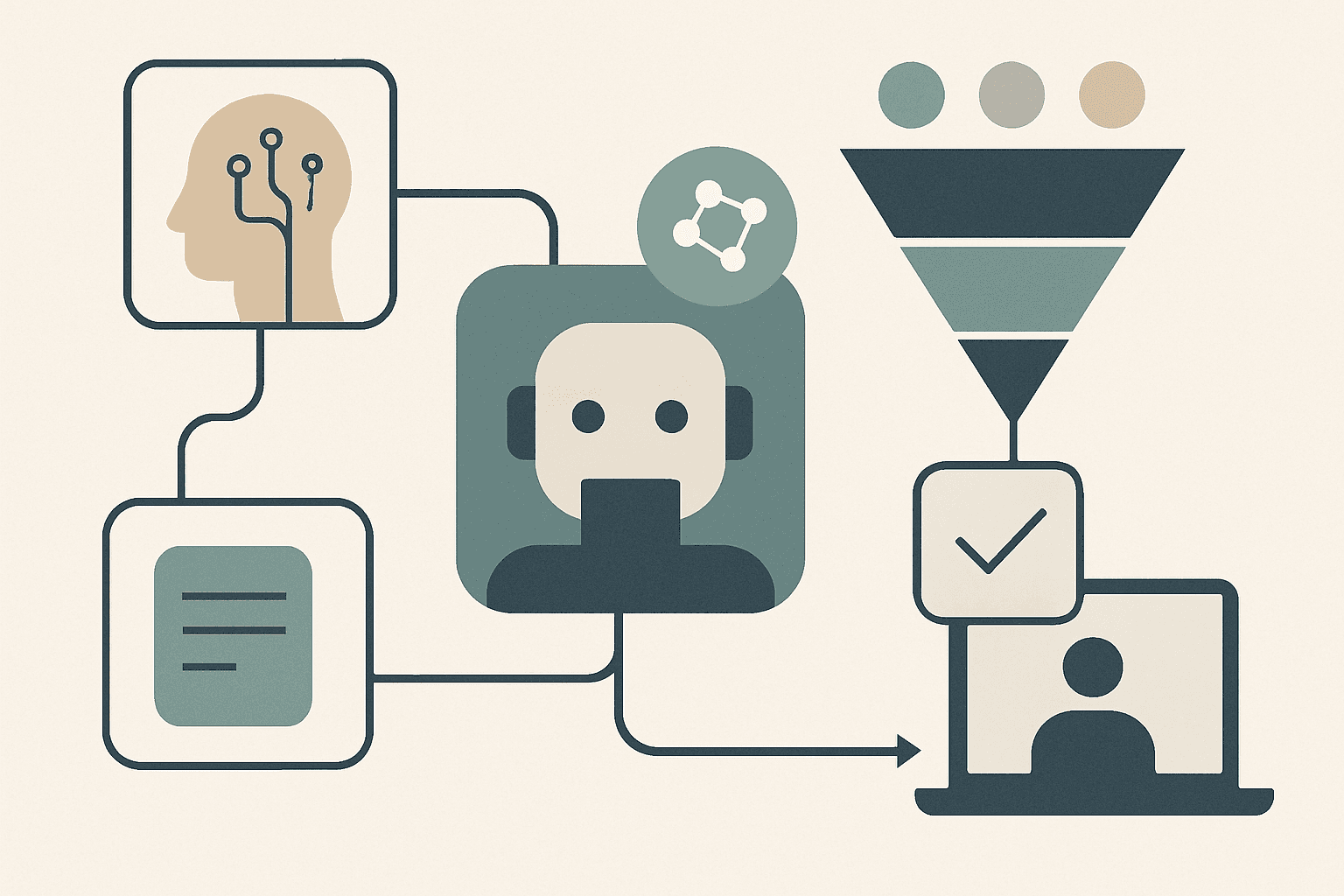
A complete workflow runs through five numbered stages, each feeding the next automatically in an AI-enabled system:
- Capture - record the contact at the physical or digital touchpoint.
- Enrich - append firmographic and intent data to the raw record.
- Score - rank the lead by fit and intent; this is where AI adds the most differentiated value.
- Route - assign the lead to the correct sales rep based on territory or product line.
- Follow up - trigger a personalised sequence through CRM or a sales engagement platform.
These lead management concepts such as capture, scoring, routing are well documented, but most teams apply them inconsistently after events.
Why traditional conference lead capture breaks down at scale
After a two- or three-day Canadian trade show, a single booth team may accumulate hundreds of contacts. The data-entry bottleneck becomes severe: reps spend the first two days back at their desks transcribing notes instead of selling. Industry patterns show a 48- to 72-hour delay before leads enter a CRM is common, and that window is precisely when prospect interest is highest. Rep bandwidth, not intention, is the constraint. At multi-day expos in cities like Toronto, Vancouver, or Calgary, the volume compounds and the manual process collapses under its own weight.
What makes AI-powered lead capture fundamentally different from manual processes?
The core differentiator is real time enrichment and automated routing. When a badge is scanned or a conversation is logged at a kiosk, an AI layer immediately appends company data, assigns an intent tag, and pushes the record toward the correct rep, all before the rep walks to the next booth. Reviewing the full trade show lead capture process shows how removing the human as a bottleneck at each stage is what separates an automated pipeline from a glorified spreadsheet. The email sequence can begin the same afternoon.
How to Capture Leads at Conferences Using AI Tools
A booth rep at a Toronto manufacturing expo scanned 140 badges over two days. By the time she returned to the office, she could not recall which 20 conversations were actually qualified. The capture happened; the context did not. AI-assisted capture tools are built to preserve both contact data and the signal behind it simultaneously.
AI Capture Touchpoints at a Conference Booth:
- Badge/QR scan
- Business card OCR
- Conversational AI kiosk
- Offline queue sync
- Session/networking floor capture
Badge scanning and QR code capture at the booth
A badge scanner connects directly to the event platform's registration API, pulling the attendee's pre-filled profile the moment the code is read. Most trade show organisers provide an official scan app tied to registration data, so the contact record arrives already populated with name, title, and company. An AI layer then appends firmographic signals at the point of scan, before the rep has finished the handshake, making capture both faster and richer than any manual method.
Business card digitisation with AI-driven OCR and enrichment
When a badge scan is not available, AI-driven OCR converts a smartphone photo of a card into parsed CRM fields within seconds. The process runs as: photo capture, field extraction, confidence scoring, then record creation. Modern mobile hardware exceeds 95% OCR accuracy on standard print. After parsing, an enrichment step matches the contact against LinkedIn profile data and appends company size, industry, and revenue range. Manual entry is eliminated entirely, and the resulting record is richer than a transcribed card. Combining this with AI lead qualification at the point of capture means low-fit contacts are tagged immediately rather than wasting rep time later.
Lead capture chatbots and conversational AI at event kiosks
A kiosk scenario works as follows: an attendee approaches, types or speaks answers to three or four qualifying questions, and the conversational AI logs each response, assigns an initial intent tag, and pre-populates the corresponding CRM fields. The lead record arrives in the system not just with contact details but with stated pain points and product interest. This transforms a passive capture moment into a structured qualifying conversation and books meeting slots without a rep present.
Offline-first capture: keeping the workflow intact when connectivity fails
Canadian convention centres are notorious for spotty Wi-Fi, especially when thousands of attendees are online simultaneously. Offline-first capture apps queue records locally on the device, encrypted at rest, and sync the full batch the moment connectivity resumes. An offline queue can hold several hundred records without data loss. The event workflow does not pause; it simply defers the sync step. When considering AI implementation considerations for kiosk and chatbot tools, offline resilience and encrypted local storage should be non-negotiable requirements in your vendor checklist.
Multi-channel capture points: sessions, demos, and networking floors
The booth is one channel among several. Session attendee lists, demo sign-up forms, and LinkedIn connection requests made on the networking floor all generate lead data that belongs in the same pipeline. The challenge is unified lead identity: a contact who visits the booth, attends a session, and connects on LinkedIn on the same day must not create three duplicate records. Multi-channel capture requires a single lead ID assigned at first touch and propagated across all subsequent touchpoints. The first day of any conference is typically when networking volume peaks, so capture systems must be live and tested before doors open on day one.
Best AI Lead Capture Tools and Software for Events
Which single feature separates an event lead capture tool that accelerates your pipeline from one that just digitises your badge pile? The answer matters before you shortlist vendors, because the wrong tool creates a data silo the moment the event ends.
| Feature | AI-Native Tool | Traditional Badge App |
|---|---|---|
| Real-time enrichment | Yes, at point of scan | No |
| Offline sync | Encrypted queue | Limited or none |
| CRM native integration | Direct connector | Export/import CSV |
| Lead scoring | Built-in AI model | Not available |
| Consent capture | Inline opt-in field | Rarely included |
| Post-event analytics | Full funnel dashboard | Basic export only |
What features should you prioritise in event lead capture software?
Prioritise these six capabilities when evaluating any platform:
- Real-time sync: records push to CRM within seconds of capture, not end-of-day batch.
- Offline mode: encrypted local queue with automatic sync on reconnection.
- CRM native connector: direct integration without middleware reduces latency and field-mapping errors.
- Consent and opt-in field: a required field at capture protects against PIPEDA non-compliance.
- AI scoring layer: the tool should assign a preliminary score, not just store a contact.
- Multi-user team access: booth reps, sales managers, and marketing all need role-appropriate views.
Comparing AI-native tools vs. traditional badge-scanning apps
The comparison table above makes the dividing line clear: traditional apps stop at contact record creation. An AI-native tool continues into enrichment, scoring, and analytics. For marketing teams trying to justify event spend, the difference is the presence or absence of post-event data that supports pipeline reporting. A traditional badge app hands you a CSV; an AI-native platform hands you a scored, routed, sequence-enrolled lead. The platform choice determines how much of your lead data becomes actionable pipeline versus an archived spreadsheet.
CRM integration requirements for a seamless lead management workflow
Native connectors outperform middleware integrations: a direct API connection writes a record in under five seconds, while a Zapier webhook chain can introduce latency exceeding five minutes per record at volume. Field mapping must be defined before the event: job title, company, lead source tagged as the conference name, and consent flag. Correctly configured automated routing rules depend on clean, consistently structured incoming records. Bi-directional sync prevents duplicate records when the same contact exists in the CRM from a prior interaction.
How to evaluate a tool for a Canadian trade show or conference environment
Canadian privacy law requires explicit opt-in at the point of capture. Under PIPEDA, collecting personal contact information without informed consent creates regulatory exposure, so the tool must include an inline consent field that the attendee acknowledges, not a buried checkbox in your privacy policy. Data residency is a related concern: confirm whether the vendor stores records on Canadian servers or whether cross-border transfer is covered by an explicit consent clause. For Quebec events, a French-language UI is a practical requirement, not a bonus feature. Review each vendor's lead qualification criteria defaults and confirm they can be customised to your segment definitions before signing a contract.
Automating the Lead Management Workflow Post-Capture
Research from Salesforce indicates that high-performing sales teams are 2.8 times more likely to use AI for lead prioritisation than underperformers. The post-capture phase, enrichment, scoring, routing, and sequencing, is where that advantage compounds, and where most conference workflows stall.
Instant lead enrichment: pulling firmographic and intent data automatically
Enrichment APIs append 20 to 40 data points to a raw contact record within seconds of capture. Typical appended fields include employee count, industry vertical, estimated revenue range, and technology stack. The enrichment step runs before scoring, which means the AI scoring model operates on a full data profile rather than a name and email. Bad source data at this stage creates noise downstream: a misidentified company size can push a tier-A lead into a tier-C nurture track, so enrichment accuracy is a quality gate, not a convenience feature.
AI lead scoring: how to define and weight qualified lead criteria
Scoring models weight two categories of signal. Explicit signals include job title seniority match, company size fit against your ICP, and industry vertical. Implicit signals include booth dwell time, questions asked during the conversation, and marketing materials downloaded from a kiosk. Lead scoring and routing work best when thresholds are calibrated per event type: a conference attended by early-stage founders requires different scoring weights than a procurement-focused trade show. Building AI lead qualification for small teams into the scoring layer means even a two-person sales team can triage hundreds of post-event contacts without manual review of every record.
Automated routing rules that send leads to the right rep within minutes
Routing logic assigns each scored lead based on four variables: geographic territory, existing account ownership in the CRM, product line interest captured at the event, and lead score tier. Configuring automated lead routing rules correctly means a tier-A lead reaches the assigned rep within two to five minutes of capture. That sub-five-minute window is the performance benchmark that separates automated workflows from manual assignment processes. The sales team receives a complete record with score, enrichment data, and conversation notes, not a raw contact card.
Triggering personalised follow-up sequences without manual input
Trigger conditions are straightforward: when a lead score meets or exceeds a defined threshold, the contact is enrolled in the corresponding sequence. The first email in the sequence pulls conversation notes from the event as personalisation tokens, referencing the specific topic discussed at the booth. Setting up systems that automate sales follow-up emails at this trigger point removes the single largest source of post-event delay. The rep does not need to remember the conversation or draft a message; the system uses the structured notes captured at the event to construct a contextually relevant opening. Sequences can branch based on email engagement: a reply routes the contact to direct rep ownership, while no engagement after 48 hours moves the contact to the next touch.
How AI Improves Lead Conversion Rates From Conference Leads
Before CRM systems became standard in the early 2000s, post-conference follow-up was entirely manual: a rep, a Rolodex, and a phone. Two decades later, the tools changed but the process often did not. AI now makes it practical to close that gap between conference investment and measurable pipeline.
Why speed-to-follow-up is the single biggest conversion lever
Leads contacted within five minutes of expressing interest are 21 times more likely to enter a sales qualification conversation than those contacted an hour later. That statistic, cited in Salesforce research, reframes the entire post-event workflow: the goal is not to follow up this week; it is to follow up today. Lead response time automation is the mechanism that makes same-day contact achievable at scale, because no human team can triage and personalise hundreds of event contacts within hours of returning from the expo floor.
Using lead scoring tiers to prioritise outreach effort
Tier A contacts (score above the top threshold) receive an immediate personal call or direct email from the assigned rep. Tier B contacts enter an automated email sequence that maintains momentum without consuming rep time. Tier C contacts enter a long-term nurture track, typically 30 to 90 days, designed to surface intent signals before a rep invests direct effort. Critically, tier definitions must be agreed upon before the event, not after. When the sales team debates what "qualified" means on the Thursday after a conference, the best leads have already gone cold. Tier alignment with the marketing team ensures the lead summary that arrives in each rep's inbox carries a score that already reflects shared criteria.
What does a high-converting post-event nurture sequence look like?
A four-step sequence structured around the days following the event produces consistently stronger results than a single follow-up email:
- Same day: a personalised email referencing the specific conversation topic from the booth, sent within hours of capture.
- Day 3: a value-add resource (case study, benchmark report) matched to the contact's stated interest.
- Day 7: a soft invitation to continue the conversation, framed around a specific outcome rather than a generic meeting request.
- Day 10: a break-up email or final meeting request that creates urgency without pressure.
Using systems that automate trade show follow-up emails at each of these trigger points means the sequence runs without manual scheduling. The conversion rates for four-touch sequences over ten days measurably outperform single-email follow-ups when the personalisation tokens are drawn from real event conversation data.
Measuring pipeline influence: attributing revenue back to event spend
Attribution begins with a CRM field: lead source tagged as the specific conference name at point of capture. Multi-touch attribution models then distribute pipeline credit across every interaction from first scan to closed deal. Post-event segmentation by event source lets the sales leader pull a pipeline report filtered to a single conference and calculate cost-per-opportunity. This attribution data is what justifies next year's event budget to a CFO who wants to see event spend treated as an event revenue engine, not a marketing line item without measurable return.
Building and Optimising Your End-to-End AI Event Lead Workflow
Building an AI conference lead workflow without first auditing your existing process is like adding a turbocharger to an engine with a cracked block. The speed improvement is irrelevant if the underlying system cannot handle the load. Start with a gap analysis, then layer in automation.
Mapping your current workflow gaps before adding automation
A gap analysis does not require a consultant. Walk through your last event's lead journey step by step and mark every point where a human had to manually move data, make a decision, or send a message. Most teams discover three to five manual handoff points that are candidates for automation. Common gaps include: no enrichment step between capture and scoring, routing done by a sales manager reading a spreadsheet, and follow-up emails written individually by each rep. Documenting these gaps before selecting any tool ensures you purchase a solution that addresses your actual bottlenecks, not a feature set that looks impressive in a demo.
Selecting your stack: capture, enrichment, CRM, and engagement
The four-component stack that supports a complete workflow is: a capture app (badge scanner or OCR tool), an enrichment API, your CRM, and a sales engagement platform for sequencing. A common and costly mistake is purchasing a capture tool without first mapping your CRM field schema. If the capture app exports a field called "Organisation" and your CRM expects "Company Name," every record requires manual correction. Reviewing real-world workflow automation implementations shows that stack integration planning, not tool selection, is the step that determines whether the workflow runs smoothly on event day.
Training your team and running pre-event workflow tests
Training data for your team is not a slide deck; it is a live simulation run two weeks before the event. Have reps scan test badges, process sample cards, and trigger a test sequence through the full stack. Confirm that offline queuing works, that enrichment appends correctly, and that routing assigns to the right rep. The lead capture tools your team uses on the event floor should feel routine by the time they land at the venue.
Iterating after each event: feedback loops and scoring model improvement
After each event, review three metrics: capture volume versus qualified lead rate, speed-to-first-contact, and sequence reply rate. If qualified rate is low, the scoring thresholds need recalibration. If speed-to-contact lags, examine the routing rules. Teams attending four or more events per year should run this review quarterly. Applying AI governance and implementation principles to your scoring model means documenting what signals the model weights and reviewing those weights after each event cycle. Fraud detection logic, which flags duplicate or bot-generated contacts, should also be reviewed at this stage to keep the pipeline clean.
Privacy compliance as a continuous workflow component
Privacy is not a one-time checkbox. Beyond the initial privacy policy disclosure at capture, the workflow must honour opt-out requests, apply data retention rules, and restrict access to contact records. For events that capture health-sector contacts, additional obligations under frameworks similar to HIPAA privacy guidance may apply if any health information is incidentally collected. Build consent status as a CRM field that gates every downstream automation: a contact without confirmed opt-in should not enter a sales sequence regardless of their score.
Key Takeaways
- Define the five stages (capture, enrich, score, route, follow up) before selecting any tool; the stack should serve the workflow, not the other way around.
- Offline-first capture with encrypted local queuing is non-negotiable for Canadian trade show environments with unreliable connectivity.
- Lead scoring thresholds and tier definitions must be agreed upon by sales and marketing before the event, not after reviewing a raw export.
- Speed to first contact is the primary conversion lever; automated routing and triggered sequences make same-day follow-up achievable at scale.
- Run a post-event feedback loop after every conference to recalibrate scoring weights, routing logic, and sequence performance before the next event.
FAQ
What is the fastest way to capture leads at a conference without losing context?
Badge scanning combined with a voice or text note logged immediately after the conversation is the most effective method. The badge scan captures the contact record; the note captures the context. AI tools can transcribe spoken notes and map them to CRM fields within seconds. This two-step approach takes under 30 seconds per contact and preserves both data and the qualifying signal behind it.
How do I ensure my conference lead data complies with Canadian privacy law?
Under PIPEDA, you need:
- An explicit opt-in captured at the point of contact, ideally a digital consent field in your capture app.
- A clear description of how the data will be used, linked to your privacy policy.
- A mechanism for contacts to request deletion or opt-out from sequences.
- Data residency confirmation from your vendor (Canadian servers or documented cross-border consent).
What is the ideal time window for the first post-event follow-up email?
Same-day follow-up, ideally within four to six hours of the initial conversation, produces the strongest response rates. Research cited by Salesforce shows contacts reached within five minutes of expressing interest are dramatically more likely to engage. Automated sequences triggered by CRM enrolment make same-day timing achievable without requiring reps to write individual emails while still at the event.
How does AI lead scoring work for conference contacts specifically?
AI scoring for event leads weights explicit signals (job title, company size, industry match against your ICP) and implicit signals (booth dwell time, questions asked, materials requested). The model assigns a numeric score, and the score maps to a routing and sequence tier. Scoring thresholds should be calibrated per event type because a startup-focused summit attracts a different buyer profile than an enterprise procurement conference.
Can a small sales team realistically run an automated conference lead workflow?
Yes. A two-person sales team can operate a fully automated pipeline using a capture app, a single enrichment API, a standard CRM, and a basic email sequencing tool. The workflow does most of the work between capture and first human touchpoint. The team's attention is directed only at tier-A leads requiring immediate personal outreach. The AI lead qualification for small teams playbook covers exactly this configuration for resource-constrained teams.