How to Sync Conference Leads to Your CRM Automatically
Stop losing event leads to manual entry delays. Learn how to sync conference leads to your CRM in real time, with platform setup steps for HubSpot, Salesforce, and
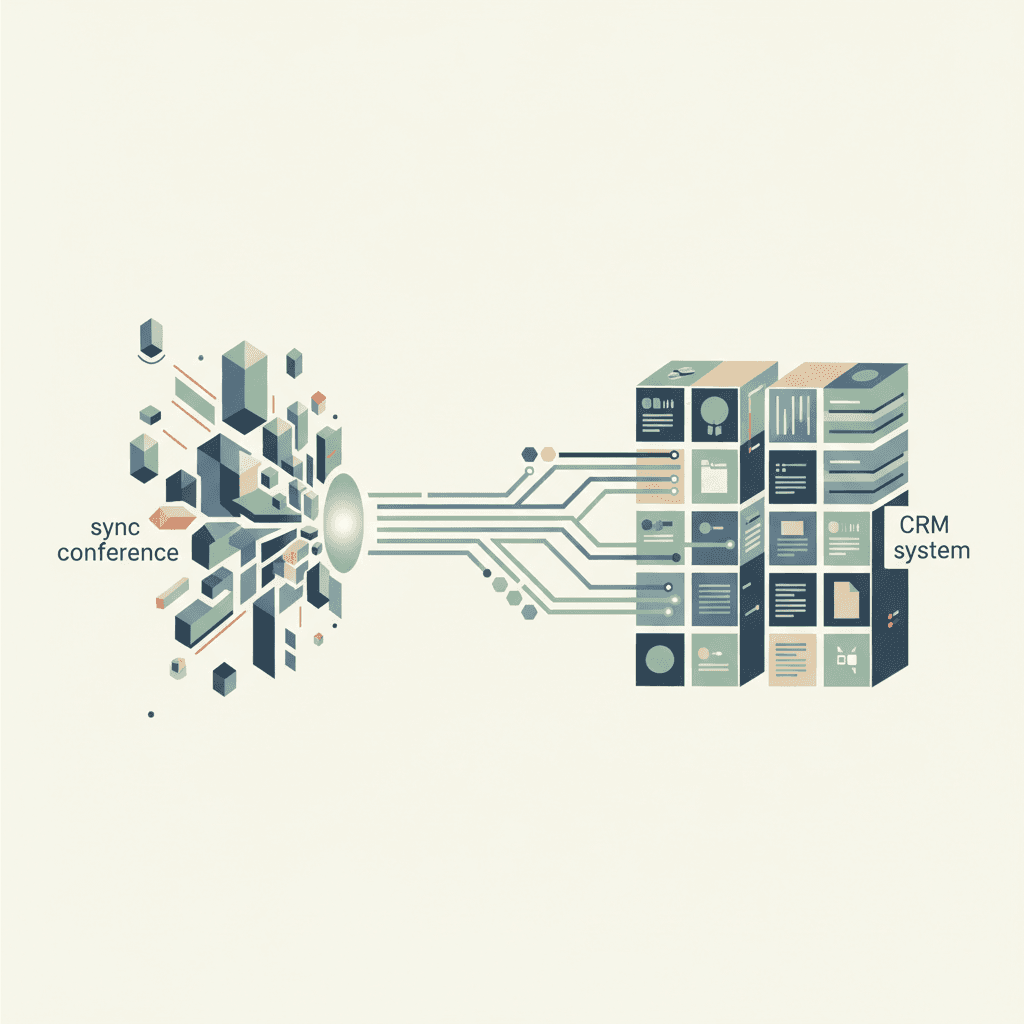
Syncing conference leads to your CRM automatically means a badge scan, form submission, or card capture triggers a live contact record in HubSpot, Salesforce, or your chosen platform within seconds, not days. Real-time sync eliminates manual entry errors, fires follow-up sequences immediately, and keeps your pipeline data clean from the moment the lead is captured.
Why Manual Lead Entry After Events Is a Revenue Problem
Research consistently shows that the first hour after a lead interaction is disproportionately valuable. Contact rates drop by roughly 10x after the first hour compared to the first five minutes, yet industry follow-up delays after trade shows average 48 to 72 hours. That gap is not an administrative inconvenience. It is a measurable, recurring revenue leak that compounds with every event your team attends.
A typical enterprise event costs between $15,000 and $150,000 when you factor in sponsorship fees, booth build, travel, and staff time. Against that investment, the lead capture process itself is often the weakest link, and the downstream consequences reach far beyond a slow email.
The average cost of a 48-hour follow-up delay on trade show leads
When a sales rep finally calls a lead 48 hours after the badge scan, that contact has already spoken with three competitors, forgotten the booth conversation, and moved on mentally. Pipeline velocity suffers immediately. The deal stage that should have opened on day one stalls before it starts.
Sales reps already spend an estimated 17% of their working week on manual data entry, according to Salesforce's State of Sales research. Adding post-event batch entry to that load pushes productive selling time further down. Slow follow-up does not just lose a single lead; it collapses the momentum that makes a strong event worth the investment. Conference automation exists precisely to close this window.
How manual data entry introduces errors that corrupt CRM account intelligence
Manual transcription of badge data introduces misspelled company names, transposed phone numbers, and wrong job titles at a rate that compounds quickly. An estimated 30% of CRM data degrades annually without active hygiene practices, and post-event batch imports accelerate that decay.
Those errors cascade downstream. A misspelled company name breaks HubSpot list segmentation. A wrong title routes a C-suite contact to the wrong rep queue. Duplicate records pollute Salesforce campaign membership reports and distort account-based marketing segmentation. CRM data quality is the foundation every downstream workflow depends on; for a deeper look at how automation defends that foundation, see How CRM Workflow Automation Works With AI Agents.
The problem is structural. When humans key data, errors are not edge cases; they are the statistical norm. The solution is removing the human from the entry step entirely.
What revenue teams actually lose when booth capture stays offline
Beyond entry errors, offline capture creates attribution gaps that cannot be reconstructed after the fact. If badge data never reaches the marketing teams' platform in time, no post-event campaign trigger fires, no email cadence launches, and the rep walks into a discovery call with zero context about the contact's interests.
Set against the $15,000 to $150,000 event investment, losing attribution and campaign trigger timing means paying full price for an event and recouping a fraction of its pipeline potential. That is the real cost of keeping booth capture offline.
What CRM Sync Means in a Conference and Event Context
Think of real-time CRM sync like a live invoice system versus a monthly paper statement. One gives your sales team an actionable record the second a lead scans their badge; the other delivers a spreadsheet long after the buying conversation has cooled and a competitor has already followed up. Understanding what sync actually means, technically and operationally, is the prerequisite for evaluating any tool or workflow.
CRM sync refers to the continuous or triggered transfer of contact and account data between a source system and your CRM, keeping records aligned without manual intervention. In a conference context, that source system is typically a badge scanner, a form, or an event platform.
How does real-time CRM sync differ from a batch data upload?
Batch uploads run on a schedule, typically a 24-hour cycle. A rep scans a badge at 10 a.m.; the record lands in the CRM at midnight. By that point, the window for a same-day follow-up has closed. Real-time sync, by contrast, fires a webhook the moment the scan completes, pushing the record to the CRM in under one second.
In 2025, buyer expectations make same-day follow-up a baseline, not a differentiator. Batch uploads were acceptable when event technology was limited. They are now a competitive disadvantage. The invoice analogy holds precisely: no finance team would accept a billing system that posts transactions 24 hours late.
The role of APIs and webhooks in connecting event platforms to your CRM
An API (Application Programming Interface) lets two systems exchange data on request. A webhook pushes data automatically the moment a trigger occurs. For conference lead sync, the distinction matters: API polling checks for new leads on a schedule; a webhook fires the instant a badge is scanned.
HubSpot Workflows, Salesforce Flow, and middleware tools like Zapier all support webhook-triggered automations. A badge scan becomes the trigger event. The webhook fires. The CRM record is created or updated. The rep receives a notification. That entire chain can complete in under five seconds without developer involvement, provided the integration is configured correctly.
Bi-directional vs. one-way sync: which does your GTM motion actually need?
One-way sync pushes data from the capture app into the CRM. That is sufficient for a simple lead generation use case. Bi-directional sync also pulls data back from the CRM into the capture app or event management platform, surfacing flags like "existing customer," "open opportunity," or "do not contact."
For account-based GTM motions, bi-directional sync is essential. A booth rep who knows that a scanning attendee is already a customer of record can shift immediately to an expansion conversation rather than a cold pitch. Salesforce campaign membership sync is a practical example: the CRM pushes account context back to the event tool so the booth team sees relationship history in real time.
What data fields transfer when you sync conference leads automatically
When configuring any integration, confirm that these standard fields transfer cleanly:
- First name and last name
- Company name and company domain
- Job title and seniority level
- Business email address and phone number
- Event name and capture date/time (timestamped at scan, not at sync)
- Booth interaction notes and qualification responses
- Lead scoring value at time of capture
- Consent flag (GDPR or CASL compliance)
Custom fields, such as a qualification question answered at the booth, require explicit field mapping in the integration layer. Missing or unmapped custom fields degrade lead scoring accuracy immediately and silently.
| Feature | Batch Upload | Real-Time Sync |
|---|---|---|
| Latency | Up to 24 hours | Under 1 second (webhook) |
| Error detection | Post-import audit required | Inline validation on record creation |
| Post-event campaign trigger | Delayed or missed | Fires on contact creation |
| Rep notification | Manual or next-day | Instant, on badge scan |
| Duplicate check | Batch deduplication scripts | Real-time matching on email/domain |
Trade Show and Event Lead Capture Apps That Connect Directly to Your CRM
If you walked away from your last trade show with a CSV and a prayer, is that really a capture strategy, or just organised chaos? The right lead capture apps should not just record a badge scan; it should open a live contact record in your CRM before the attendee reaches the next booth.
Event lead capture technology has matured significantly. The evaluation question for revenue ops teams is no longer whether capture tools can connect to a CRM; it is how deep, how stable, and how fast that connection runs.
What should a B2B booth team look for in a lead capture app?
Booth teams evaluating capture apps should prioritise the following criteria:
- Native CRM integration built directly into the tool, not a Zapier-only wrapper, for stability and speed
- Offline capture mode with automatic queue-and-sync when connectivity restores
- GDPR and CASL consent capture at the point of scan, not retrofitted after the event
- Custom qualification questions that transfer to CRM fields, not just note fields
- Instant rep notification via SMS, email, or CRM activity on new lead creation
- Real-time duplicate detection against existing CRM contacts and accounts
- Configurable lead qualification stages within the app (hot, warm, cold)
Canadian B2B teams must capture explicit consent under CASL for any follow-up communication. A capture app that cannot record and transfer a consent flag is a compliance liability, not a productivity tool.
Badge scanning, business card OCR, and form-based capture compared
Badge scanning is the fastest modality, processing a lead in under 3 seconds per interaction. The record is clean, standardised, and tied to the event's registration database. Business card OCR introduces transcription risk; accuracy rates vary from 85% to 99% depending on the vendor, and lower-accuracy scans require manual review before CRM import.
Form-based entry gives the booth team the most control over qualification data but slows the interaction. It works well for high-value accounts where a 60-second qualification conversation is appropriate. By 2025, hybrid capture combining badge scanning with a short qualification form has become the standard for mid-to-large B2B events.
The right lead capture apps for your team depend on the event format, the CRM in use, and the number of leads processed per day. Mid-size B2B trade shows typically see 50 to 500 leads per day per booth; at the higher end, capture speed and offline reliability become critical.
| Method | Speed | Offline capable | CRM sync type | Data accuracy risk |
|---|---|---|---|---|
| Badge scan | Under 3 seconds | Yes (queue sync) | Real-time webhook | Low (standardised data) |
| Business card OCR | 5 to 15 seconds | Yes | Batch or real-time | Medium to high (OCR errors) |
| Form-based entry | 30 to 90 seconds | Yes | Real-time or batch | Low (manual but controlled) |
Offline capture with automatic sync on reconnect: how it works in practice
Convention centre Wi-Fi is notoriously unreliable. A capture app that requires a live connection will drop leads during peak traffic, which is exactly when the booth is busiest. Robust capture tools store lead records locally on the device and queue them for CRM sync the moment connectivity restores.
Critically, leads should be timestamped at the moment of capture, not at the moment of sync. A lead captured at 2 p.m. that syncs at 6 p.m. should show a 2 p.m. capture time in the CRM. That timestamp drives follow-up sequencing and SLA measurement accurately.
QR and card scan tools with AI extraction have added another layer to this: AI-assisted field recognition improves OCR accuracy and can auto-populate enrichment fields from a business card image, reducing manual correction. For a broader look at how this fits into the full trade show lead capture workflow, see AI-Driven Event Marketing Automation.
Which lead capture tools offer native CRM integrations vs. middleware dependency
Native integrations, built by the CRM vendor or the capture tool itself, are faster, more stable, and avoid Zapier's per-task billing. HubSpot's App Marketplace and Salesforce's AppExchange both offer vetted native capture tool integrations. A native connection has two failure points: the capture app and the CRM. A middleware-dependent connection adds a third.
Revenue ops teams should confirm, before purchasing any capture tool, whether the advertised "integration" means a native API connection or a Zapier wrapper. Some platforms advertise connections with over 5,000 tools via middleware; that breadth comes at the cost of latency and reliability at the integration layer.
How to Set Up Automatic Conference Lead Sync by CRM Platform
Five years ago, syncing event leads to a CRM meant exporting a spreadsheet, cleaning it, importing it, and hoping field mapping held. By 2025, every major CRM platform, including HubSpot, Salesforce, Pipedrive, Close, and Attio, has a documented pathway for real-time conference lead sync, and setup is now a configuration task, not an engineering project.
The steps below are written for revenue ops practitioners. No developer required for any of these platforms, provided you are working with a capture tool that offers a native or well-documented API integration.
Syncing event leads to HubSpot: contact timelines, lists, and deal creation
HubSpot has over 1,500 apps in its App Marketplace as of 2025, and several badge scan and event capture tools integrate natively. Setup follows five steps:
- Connect your capture app to HubSpot via the App Marketplace, authorising the OAuth connection under your portal's settings.
- Map event-specific fields, including
event_name,booth_notes, andcapture_timestamp, to corresponding HubSpot contact properties. Create custom properties if the standard property set does not include them. - Enrol every newly created contact from the event source into an active HubSpot list using the "Contact created from" filter set to your capture app as the source.
- Trigger a HubSpot Workflow on list membership: create a Deal, assign a contact owner based on territory, and set the Deal stage to "Event Qualified Lead."
- Add the contact to a follow-up sequence. Timeline events give reps full capture context, including booth notes and qualification score, before the first call.
For lead scoring after sync, structured event data feeds HubSpot's scoring model precisely. The dedicated resource on Sync Event Attendance Data Into Salesforce and Marketo for Lead Scoring covers the scoring configuration in detail.
Salesforce event lead sync: campaign membership, lead queues, and routing rules
In Salesforce, the best practice is to create a Campaign record for each event before the show begins. All inbound leads from the event receive a Campaign Member record with Lead Source set to the event name. Salesforce Flow or Assignment Rules then route the lead to the correct queue based on territory designation or account tier.
Salesforce has native integrations with Eventbrite and Cvent for virtual and hybrid events. For in-person trade show capture tools not listed on AppExchange natively, a vetted AppExchange app or middleware is the path. AI data extraction and duplicate detection tools can run as part of the inbound flow, matching a scanned contact against existing Lead and Contact records before creating a duplicate. Salesforce campaign membership records can auto-assign to lead queues within seconds via Flow, making trade show lead capture into an immediate routing operation rather than a manual triage task.
Pipedrive, Close, and Attio: lightweight CRM setup for conference lead automation
For GTM teams with fewer than 20 sales reps, these three CRMs offer lean but capable conference sync options. Pipedrive's LeadBooster add-on supports form-based capture and webhook-triggered sync to the Pipedrive pipeline. Close has built-in calling and sequencing that can trigger the moment a new lead record is created, making it well-suited to high-velocity follow-up. Attio uses native automations and enrichment workflows that can fire on record creation without middleware.
All three support Zapier or Make as fallback middleware where native integration gaps exist. Revenue ops teams should test the trigger-to-notification latency before deploying at a live event; a lag of more than 30 seconds in that chain indicates a configuration issue worth resolving in advance.
Using LinkedIn Lead Gen Forms alongside in-person event capture in the same CRM workflow
Conference sponsors frequently run LinkedIn campaigns in parallel with their physical booth, and social media capture creates a second lead stream that must merge cleanly with badge scan data. LinkedIn Lead Gen Forms integrate natively with both HubSpot and Salesforce, but the challenge is consolidating both streams under a single campaign without creating duplicate contact records.
The most reliable approach: assign a shared UTM parameter and a consistent event_name field value to both the LinkedIn campaign and the badge capture configuration. Set a deduplication rule in the CRM based on email address and event_name, so that a contact who scans a badge and also submits a LinkedIn form appears once with both touchpoints logged as activities.
This approach directly supports the lead generation channels framework your team should already have in place for event attribution. Manual entry and API connections serving different lead streams without a shared identifier are the primary source of duplicate records in post-event CRM data.
Enriching and Scoring Conference Leads the Moment They Hit Your CRM
A badge scan alone is not a lead; it is a name and a company. Without enrichment and lead scoring running the moment a contact record lands in your CRM, your sales team is making cold calls to a room of strangers at a trade show they already attended. Enrichment is the step that turns a data point into a pipeline signal.
The timing matters as much as the process. Enrichment run 48 hours post-event produces records that are accurate but already less actionable. Enrichment triggered at the point of capture produces records that reps can act on within minutes.
What CRM data points matter most for scoring a lead captured at an event?
Event-sourced lead generation benefits from a scoring model that weights both firmographic and behavioural signals. The highest-value data points for scoring a conference lead include:
- Company size and industry vertical (firmographic fit against your ICP)
- Job title and seniority level (are they a buyer or an influencer?)
- Existing account status in the CRM (customer, open opportunity, or net new)
- Intent signals from the booth interaction: dwell time, demo request, specific questions asked
- Qualification answers captured via the app's custom question fields
- Geographic territory alignment with rep coverage
- Prior engagement history with your marketing campaigns or content
Event-specific qualification fields, particularly the answers a contact gave to qualification questions at the booth, frequently outweigh demographic data in predictive value. A senior director who asked two specific product questions at the booth is a higher-signal lead than a VP who walked by and handed over a card.
Auto-enriching contact and account records at the point of capture
The enrichment trigger is straightforward: a new contact is created in the CRM, the enrichment tool receives a webhook or API call, and fields including employee count, industry classification, tech stack, and LinkedIn URL are populated within seconds. Tools like Apollo, ZoomInfo, and HubSpot Bredr (formerly Clearbit) process these enrichment calls in under 5 seconds per record.
The populated fields feed two downstream processes: segmentation and personalised follow-up. A rep who opens a new lead record and sees that the contact works at a 500-person SaaS company in the financial services sector can tailor the opening email within minutes of the badge scan. For the broader framework connecting enrichment to account intelligence and campaign targeting, see Data-Driven B2B Marketing Platform.
Post-event workflows that trigger enrichment automatically eliminate the manual step that most teams skip under post-event pressure, making enrichment reliable rather than aspirational.
Routing enriched leads to the right rep based on territory, account tier, or deal stage
Enrichment unlocks routing logic that badge data alone cannot support. If the enriched firmographic data places a company in the enterprise tier, the lead should route to an enterprise account executive within minutes, not the next morning. A practical three-step routing flow: enrich the record, apply the lead scoring model, then trigger an assignment rule based on score threshold and territory.
HubSpot's Workflow tool and Salesforce's Assignment Rules both support this sequence natively. Round-robin assignment suits teams without defined territory boundaries; territory-based assignment suits teams with geographic or vertical segmentation. Routing delays of more than 5 minutes on hot event leads produce a measurable drop in connect rates, particularly for contacts who are still on the trade show floor and receptive to a same-day outreach.
For a detailed walk-through of how systems learn from CRM routing data to improve future assignment accuracy, AI-assisted routing is covered in the CRM Workflow Automation with AI Agents resource.
Can event engagement signals replace or supplement your existing lead scoring model?
Event signals, including badge scan, demo request at the booth, and breakout session attendance, are high-intent but transient. They indicate interest at a specific moment, not sustained buying intent. The right model uses them as supplements to your existing demographic and behavioural scoring, not as replacements.
A combined model typically weights event signals at 20 to 40% of the total score, depending on event type and the depth of booth interaction data captured. Marketo Engage and HubSpot both support score adjustments based on custom event properties set at the capture stage. For the complete scoring configuration, Sync Event Attendance Data Into Salesforce and Marketo for Lead Scoring is the dedicated resource.
Automating Post-Event Follow-Up From the CRM Immediately After Sync
Picture this: a VP of Sales walks off the trade show floor at 5 p.m. on Thursday. By 5:15 p.m., every lead her team scanned that day has a personalised follow-up email in their inbox, a deal record open in the CRM, and a task assigned to the covering rep for a call the next morning. No one sent those emails manually. The CRM workflow fired the moment each badge was scanned, and the VP spent Thursday evening reviewing pipeline instead of chasing her team for spreadsheets.
That is what a properly configured post-event automation looks like, and it is achievable with the platforms and integrations described in this article.
Building the post-event follow-up sequence inside your CRM
The follow-up sequence should be built and tested before the event begins, not assembled in a hotel room the night the show closes. A practical sequence structure for B2B conference leads:
A day-zero email fires within 30 minutes of the badge scan. It references the event by name, acknowledges the booth conversation, and includes one specific next step: a calendar link, a relevant piece of content, or a demo request form. This email performs best when the booth_notes field from the capture app populates a personalisation token in the message.
A day-two task assigns the rep to make a direct phone call. By this point the enriched record is populated, the lead scoring is set, and the rep has full context. A day-five email sends a case study or social media asset relevant to the contact's industry, pulled from a personalisation rule in the CRM. Contacts who do not engage after the day-five touchpoint move to a longer-cadence nurture campaign rather than being abandoned.
Triggering workflows based on lead score thresholds after sync
Not every badge scan warrants the same follow-up velocity. A lead scoring model allows the CRM to route high-score leads to an immediate phone-first sequence while lower-score leads enter a longer email nurture. Score thresholds of 80 or above can trigger a Slack or SMS notification to the rep for same-day outreach.
Lead capture apps that pass qualification question responses as structured CRM fields, rather than unstructured notes, make this threshold logic reliable. A response of "evaluating vendors now" mapped to a dropdown field is actionable lead scoring data. The same response buried in a free-text notes field is invisible to the scoring model.
Measuring post-event campaign performance back in the CRM
The final step in the automation loop is attribution. Every contact created from a conference capture should carry a lead_source value and an associated Campaign or UTM tag. That tagging allows the revenue team to measure, by event, which shows produce pipeline and at what conversion rate.
The data generated from two or three events with this setup gives your team a defensible ROI model for event budget decisions. Organisations using Outport AI for conference automation build this attribution layer into the initial configuration, so reporting is available from the first event rather than retrofitted after the fact. For a broader view of revenue team automation opportunities, the Enterprise Process Automation guide covers where trade show lead capture fits within the full GTM automation stack.
Key Takeaways
- Set up real-time sync before the event, not after. Webhook-based integrations between your capture app and CRM push contact records in under one second. Batch uploads running on 24-hour cycles cost you the follow-up window that matters most.
- Map every field explicitly, including consent flags. Unmapped custom fields and missing CASL/GDPR consent records create compliance risk and break downstream lead scoring and segmentation logic.
- Trigger enrichment at the point of capture, not 48 hours later. Enriched records produced within minutes of a badge scan let reps personalise outreach while the conversation is still fresh.
- Build and test your post-event sequence before the show opens. A day-zero email, a day-two call task, and a day-five content touchpoint should all be live in the CRM before the first badge is scanned.
- Use event attribution tagging consistently across every lead stream. Shared campaign tags across badge scan, LinkedIn Lead Gen Forms, and any other capture modality give you clean pipeline attribution by event and defensible ROI data for budget decisions.
FAQ
What does it mean to sync conference leads to a CRM automatically?
Automatic conference lead sync means that when a prospect's badge is scanned or a form is submitted at an event, their contact record is created or updated in your CRM without any manual data entry. The sync uses a webhook or API connection between the capture app and the CRM. The process covers:
- Contact record creation or deduplication
- Field population from badge data and qualification responses
- Workflow triggers for follow-up sequences and deal creation
- Rep notification, typically within seconds of capture
Which CRM platforms support real-time event lead sync?
HubSpot, Salesforce, Pipedrive, Close, and Attio all support real-time event lead sync as of 2025. HubSpot and Salesforce offer the broadest native integration ecosystems via their respective app marketplaces. Pipedrive, Close, and Attio support webhook-based connections and middleware tools where native integrations are not available. Confirm whether any advertised integration uses a native API or a Zapier wrapper before committing to a tool.
How long does it take for a badge scan to appear in HubSpot or Salesforce?
With a webhook-based native integration, a badge scan typically creates or updates a CRM record in under 5 seconds. Middleware-dependent setups via Zapier may add 1 to 15 minutes of latency depending on the Zap's polling interval. For time-sensitive follow-up, native integrations are the correct choice. Test the end-to-end latency at your booth setup before the event opens, not during peak floor hours.
Do I need a developer to set up conference lead sync?
For HubSpot, Salesforce, Pipedrive, Close, and Attio, no developer is required if you are using a capture app with a documented native integration. Setup involves authorising an OAuth connection, mapping fields, and configuring workflow triggers, all of which are point-and-click operations in the CRM's settings interface. Custom integrations or proprietary event platform connections may require API work, but the major conference capture tools handled by revenue ops teams are configuration tasks.
How do I handle duplicate records when syncing leads from multiple capture sources?
Set a deduplication rule based on email address as the primary match key. Add a secondary match on company domain and event name to catch contacts who submit via both a badge scan and a LinkedIn Lead Gen Form. HubSpot deduplicates on email by default; Salesforce requires a duplicate rule configuration in Setup. Run a deduplication audit within 24 hours of the event close to catch any records that passed through before rules were active.
What is the minimum data a badge scan should capture to make a CRM record useful?
A minimum viable conference lead record should include first name, last name, business email, company name, job title, event name, and capture timestamp. Without email, the record cannot be enrolled in a follow-up sequence. Without event name and timestamp, attribution and SLA measurement are impossible. Consent flag and qualification notes are strongly recommended and, for Canadian B2B teams, consent capture under CASL is a legal requirement for subsequent email follow-up.